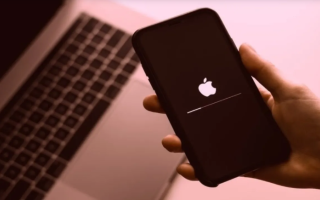
Technical reports have revealed an ultra-protection feature hidden by Apple in its iPhones, known as "Lockdown Mode," capable of disabling advanced hacking attempts. According to the reports, the feature drew attention after it successfully protected a journalist's phone during the device's confiscation. The FBI's forensic team failed to access the phone's contents due to the activation of this enhanced security mode. "Lockdown Mode" relies on minimizing the phone's functions to the bare minimum, aiming to close all potential paths that hackers could exploit. When activated, it imposes strict restrictions on interactions with apps, websites, and other devices. In the Messages app, most types of attachments are blocked, and links and their previews are completely prohibited. As for FaceTime calls, they are restricted to contacts with whom you have communicated in the last 30 days, with features like "SharePlay" and "Live Photos" disabled. Shared albums also disappear from the Photos app, and geolocation data is automatically removed from any photos sent. On the connection level, the phone prevents connections to insecure Wi-Fi networks and blocks communication through outdated 2G and 3G networks, requiring the device to be unlocked before connecting to any computer. Despite these restrictions, essential services such as regular calls, text messages, and the "SOS" emergency feature continue to function. However, the daily user experience becomes significantly less smooth, confirming that the mode is designed for high-risk situations, not for daily use. Users can enable "Lockdown Mode" by going to Settings, then the "Privacy & Security" section, selecting "Lockdown Mode," confirming the activation, and restarting the phone. Once enabled, the restrictions are immediately applied to apps like Messages, Safari, and FaceTime, and it can be disabled at any time through the settings.