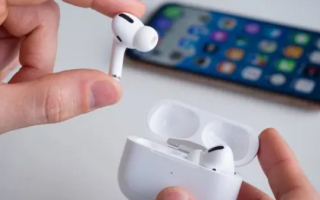
Apple's "Find My" system makes it easy to find lost AirPods, whether it's the charging case or one of the earbuds. If your AirPods are connected to the internet or were recently connected to your device, the app will show their current location on a map. If they are offline, the app will display their last known location, which helps narrow down the search. For many people, this is enough to jog their memory. This is especially useful for finding AirPods hidden under covers, in bags, or behind furniture. However, you must remember that AirPods need sufficient battery to emit a sound, and the charging case itself can only play a sound if you have AirPods 4, AirPods Pro 2, or Pro 3 that support this feature. Some AirPods models, like the second and third-generation AirPods Pro with MagSafe charging cases, support the Precision Finding feature. If your case supports the "Find My" app, you will see similar options to locate the earbuds themselves. The earbud may reconnect once you get close enough. Finding an AirPods Charging Case Finding an AirPods charging case is a bit more difficult, as only newer models support sound playback or Precision Finding. Due to their small size, any of us can easily lose AirPods; they can easily slip between couch cushions or disappear in bags or pockets. Fortunately, Apple's "Find My" system makes it easy to find your lost AirPods, whether you dropped the charging case somewhere or can't find one of the two earbuds. With the right settings enabled, your iPhone can show the last place your AirPods were, play a sound to help you find them, or even guide you with on-screen directions, according to a report from tech news site Engadget. Here's how to use "Find My" to locate your AirPods and how to find the left or right earbud if only one is lost. Using "Find My" to Locate Your AirPods If your AirPods are paired with an Apple device linked to your Apple ID, they will automatically appear in the "Find My" app. The app might show a location like a gym, a friend's house, or a bus stop where the AirPods fell out of your pocket. Tap "Play Sound" in the device list, and the AirPods will emit an increasing alarm sound for a few seconds. This feature uses the "U1" chip in your iPhone to show a directional arrow, a distance estimate, and haptic feedback as you get closer to the AirPods. Not all models have this feature, but if yours does, the "Find My" app will display a "Find Nearby" button to search in your vicinity. Locating a Single AirPod It's possible that you've lost only the left or right earbud.